Field notes
Break our pet shop: a tour of the Bugpot live demo
5 min readThe Bugpot team
The fastest way to understand a feedback tool is to file feedback with it. So we built Wag & Whisker, a small fake pet food shop with Bugpot installed, and wired it to a real backend that is yours alone. Not a video, not a carousel of screenshots. The actual product, running.
A real backend, yours alone
When you open the demo, Bugpot quietly provisions a private workspace for your browser. Reports you file land in your own inbox, not a shared one, so you will never see another visitor’s scribbles. The whole workspace self-destructs after 24 hours. No sign-up form, no email, nothing to clean up.
File a bug on the shop
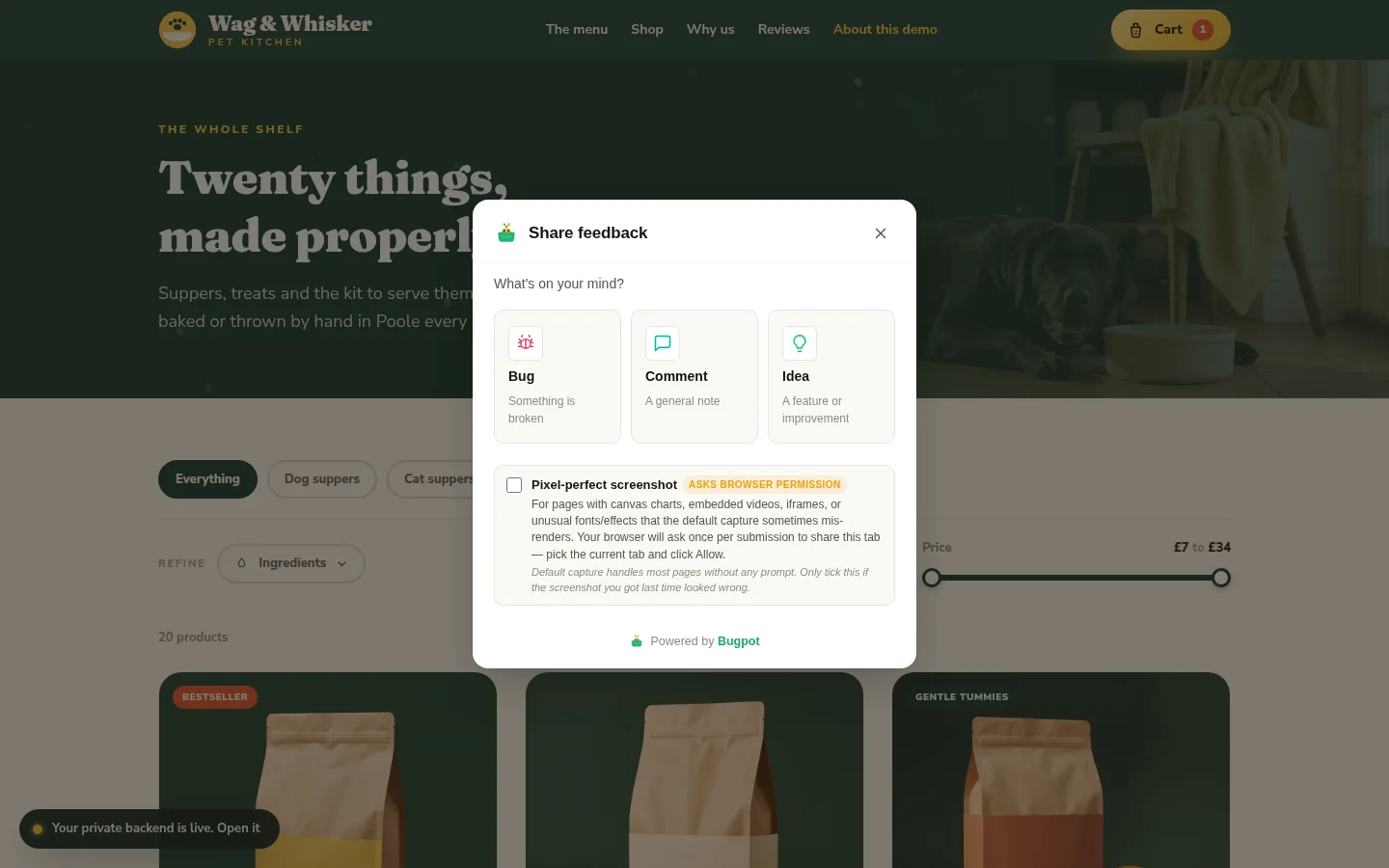
The shop has product pages, a basket and a checkout, which gives you plenty to complain about. Click the feedback button, pick Bug, and the widget captures the page. Box something with the rectangle tool, point at it with an arrow, type a sentence. The whole flow takes under a minute the first time.
Watch it land
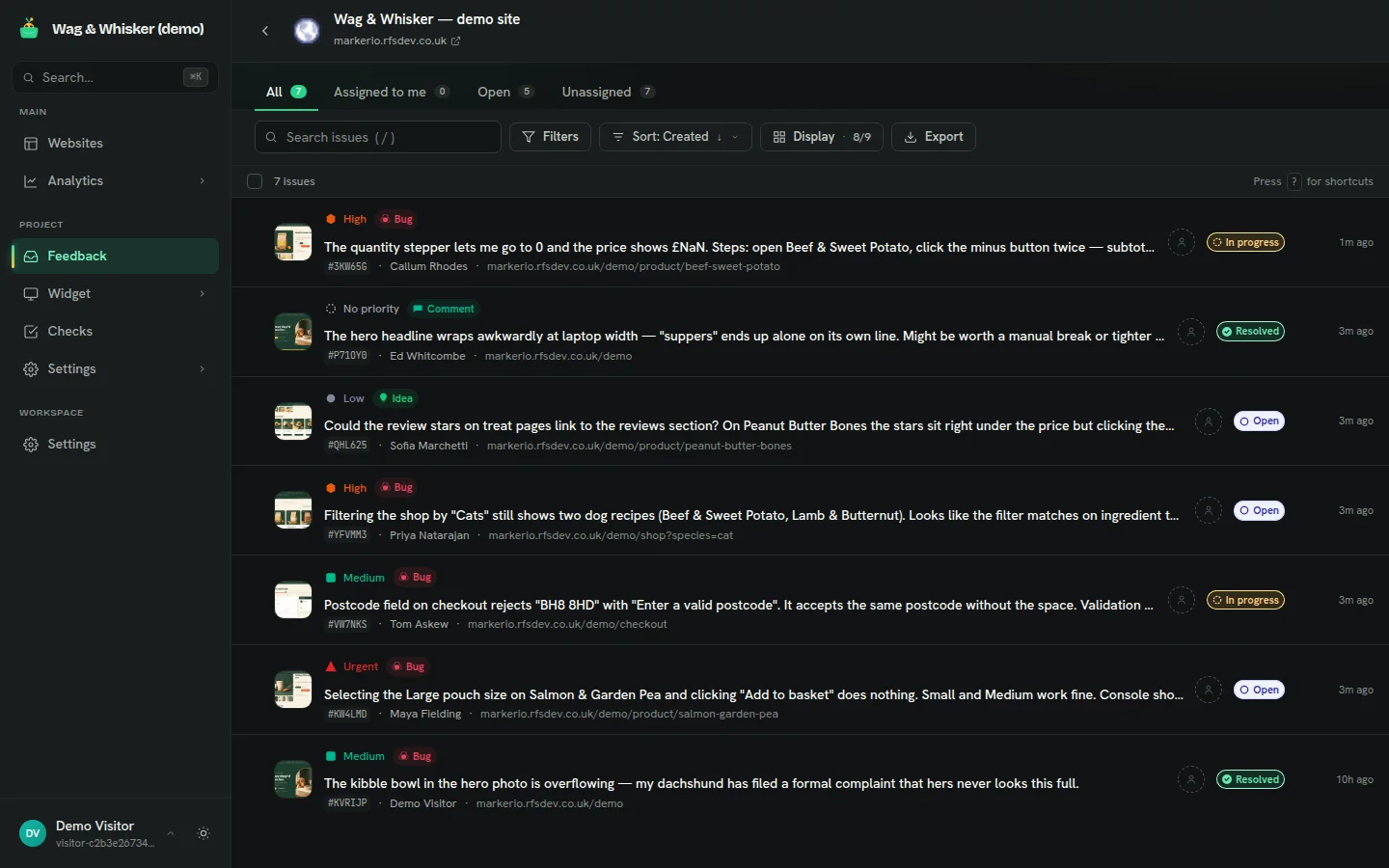
A pill in the corner of the demo links to your private backend. Open it and the report you just filed is sitting in the inbox with the annotated screenshot, your environment details, and a thumbnail on the row. Change its status, set a priority, leave a comment. This is the same dashboard paying customers use, not a cut-down tour version.
Things worth trying
File one report of each type and watch the badges differ in the inbox. Try the freehand drawing tool, which is more fun than it has any right to be. Open the report detail and look at the session environment panel: that is the data your developers stop having to ask for. Then poke around project settings and see how much of the widget is configurable.
When you have broken enough of our shop, the real install is one script tag on your own site. The homepage screenshots, and every screenshot in this post, came from this demo. What you see is what ships.